

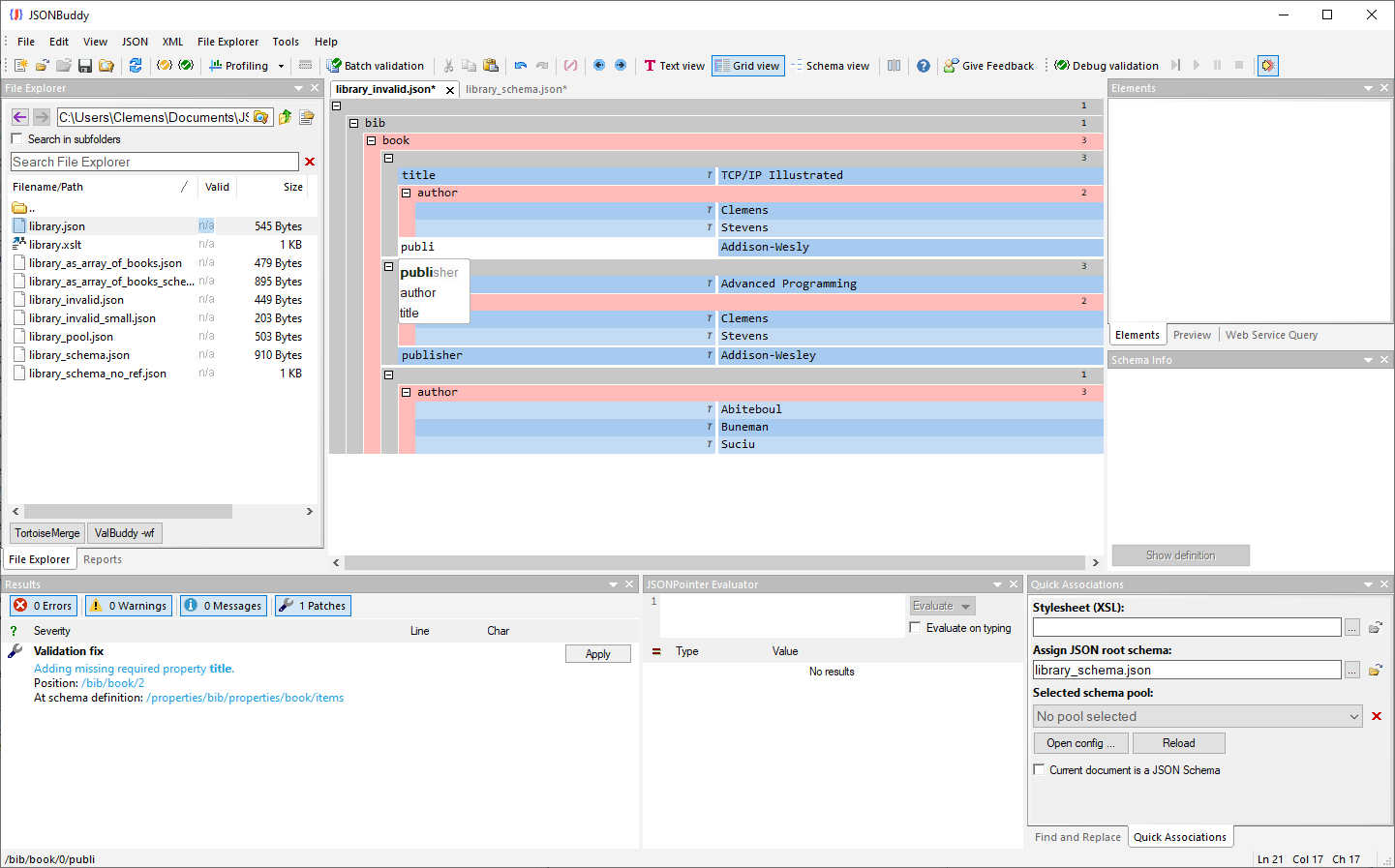
The supplied read-only Help source documents this task. The grid-editor context is corroborated by the production Windows editor page; verify view-switching, entry-helper, drag-and-drop, and validation controls in the current release.
Use a structured view for the edit at hand
A JSON grid editor presents objects, arrays, properties, and values as a navigable structure. Use it when a structural view will make a change easier to review than editing compact text directly. It is not a replacement for understanding the JSON contract that the document must satisfy.
Edit JSON in the grid
- Open the JSON document and select the current grid or structured editor view.
- Navigate to the object, array, property, or value that needs review.
- Make one deliberate change and confirm the surrounding structure still expresses the intended data.
- Save to a suitable working copy and validate the document.
Check well-formedness and contract behavior
A structured edit may help prevent simple shape mistakes, but it does not prove every business rule. Run a well-formedness check, and when a JSON Schema is assigned, review diagnostics for the data location and the schema location before deciding what to correct.
Troubleshooting
If the grid view becomes less useful for a large or deeply nested file, return to a text or large-file workflow that matches the document size. Do not rely on a historical shortcut or entry-helper label without checking the current Windows build.