Build and govern JSON Schemas

JSON Schema Editor - Get a unique collection of JSON Schema features

Create, understand, test, and maintain JSON Schemas in a dedicated Windows environment that keeps authoring help, references, diagnostics, and sample data close to the schema.

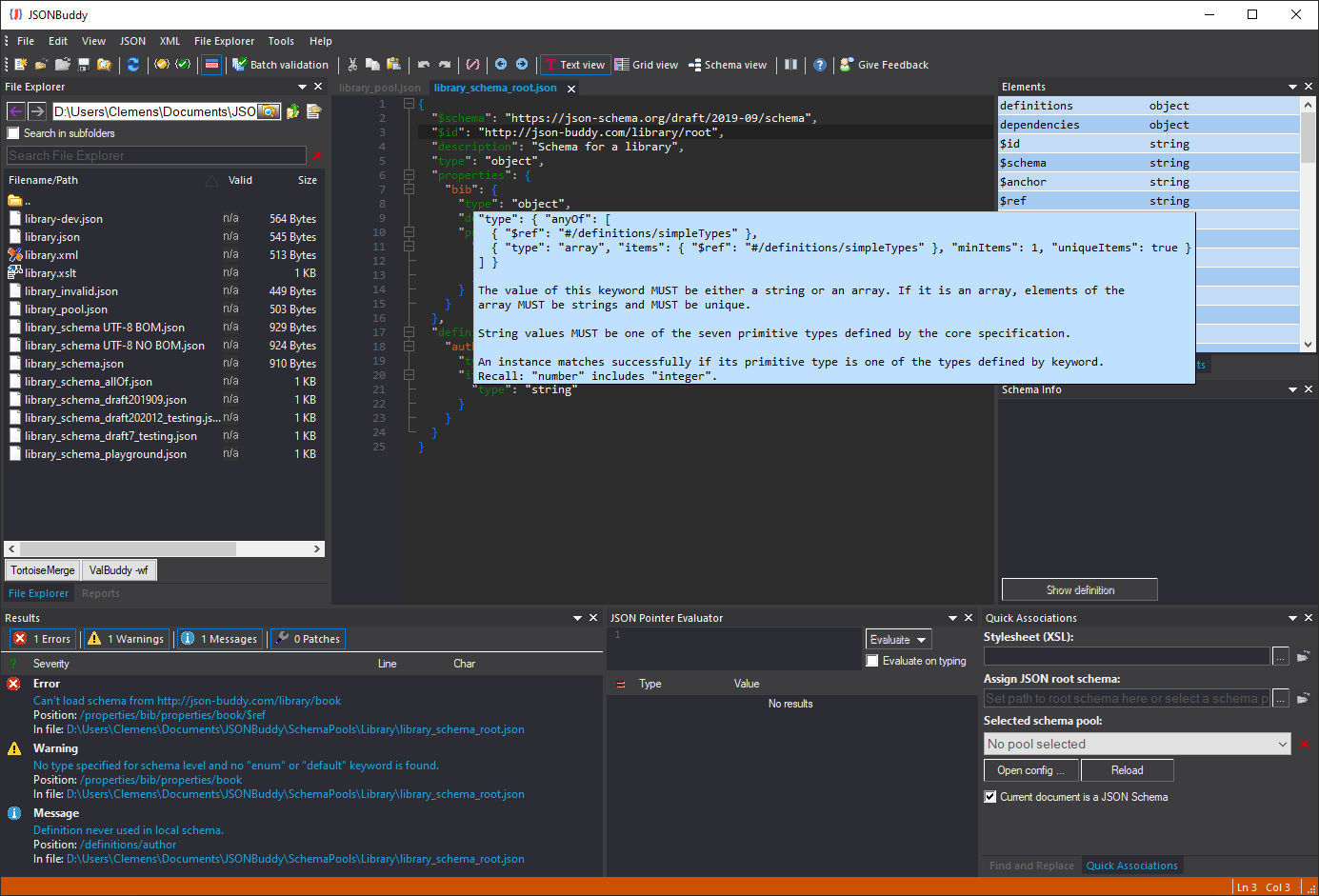
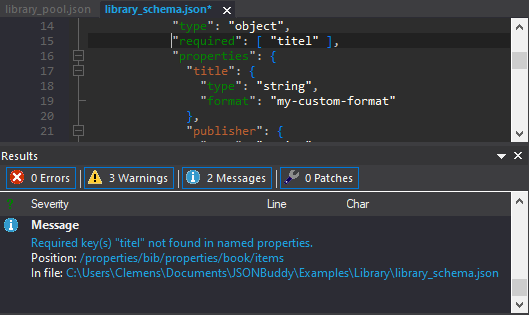
JSONBuddy JSON Schema editor showing a schema error and detailed diagnostic
The original product screenshot shows a schema document with an inline finding and diagnostic context.
  • AuthoringCompletion and keyword help
  • DiagnosticsValidate and debug schemas
  • NavigationResolve and follow references

A schema development environment

Keep the contract, examples, and diagnostics in one workflow

JSONBuddy’s retained JSON Schema editor combines schema-aware text editing with validation, debugging, background analysis, reference navigation, live sample generation, and documentation. The page remains focused on editing and governing schemas instead of collapsing validation, testing, analysis, and documentation into one generic feature claim.

Author with schema-aware assistance

Use JSON Schema syntax coloring, context-sensitive completion, keyword suggestions, and code folding while working directly in the schema document. These tools keep nested definitions readable and reduce repeated lookup work without hiding the underlying JSON.

Validate and investigate behavior

Validate a JSON Schema document and inspect a reported definition or keyword in context. When an instance behaves unexpectedly, the separate validation debugger can step through how the schema is applied to JSON data.

Explore JSON validation

Analyze, test, and document

Use background schema analysis for structural findings, test collections for data-contract coverage, and generated HTML/SVG documentation when the schema needs to be reviewed or shared.

Explore the JSON Schema analyzer

Interactive specification help

Read the relevant JSON Schema definition while you edit

The established editor exposes specification text for schema keywords as contextual help. That keeps the formal definition close to the active document when a keyword’s purpose or allowed shape needs confirmation.

The production page documents a single-command schema validation path and the F11 shortcut. Recheck the current command label, shortcut, included meta-schemas, supported vocabularies, and draft behavior against the release candidate before publication.

JSONBuddy showing interactive JSON Schema specification text for a selected keyword
Interactive help presents the relevant specification text beside the schema being authored.

Reference navigation

Resolve and follow $ref targets without losing context

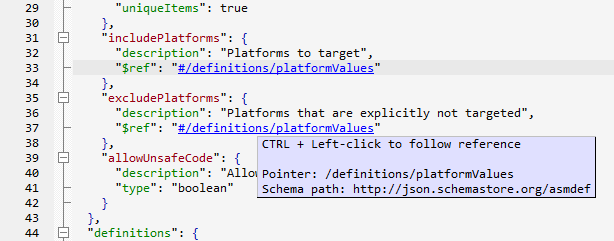
The editor resolves local and external schema references in the background and presents resolved targets as links. Hover information can expose the resolved JSON Pointer and schema path before navigation, helping an author distinguish the reference as written from the location it selects.

Reference loading still depends on the schema’s resolution context and available resources. Confirm current URI handling, catalog or pool behavior, network access, and failure diagnostics for the release version.

JSONBuddy JSON Schema editor showing an active resolved $ref link
The original screenshot shows a resolved schema reference presented as an active link.

From authoring to evidence

Use completion, sample data, and debugging for different questions

Each supporting view answers a separate question: what can be entered here, what data shape does the current schema imply, and why did validation take a particular path?

Complete keywords and definitions

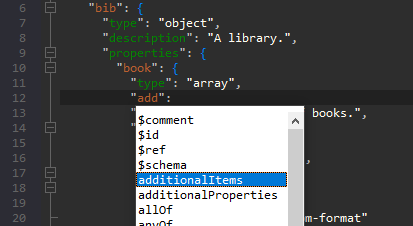
Schema-aware completion proposes relevant JSON Schema keywords and supports faster construction of type definitions. Folding can collapse finished branches while another definition is being reviewed.

JSON Schema keyword completion in the JSONBuddy Windows editor
Keyword completion and schema-specific syntax coloring in the retained product view.

Preview generated sample data

The production workflow generates JSON sample data from the active schema and highlights the sample section related to the selected schema branch. The preview updates as the schema changes, making it a development aid rather than a substitute for curated contract tests.

Generation choices, example handling, and output completeness must be verified for the current release and schema draft.

Step through schema validation

The documented debugger opens the data and schema together, then provides Step In, Run, Break, and Stop controls plus breakpoints in referenced schema files. It highlights the current JSON node and corresponding schema node so the validation path can be inspected.

Verify the current toolbar names, breakpoint behavior, available editor views, and edition entitlement before launch.

Documentation view

Turn a schema structure into a reviewable visual reference

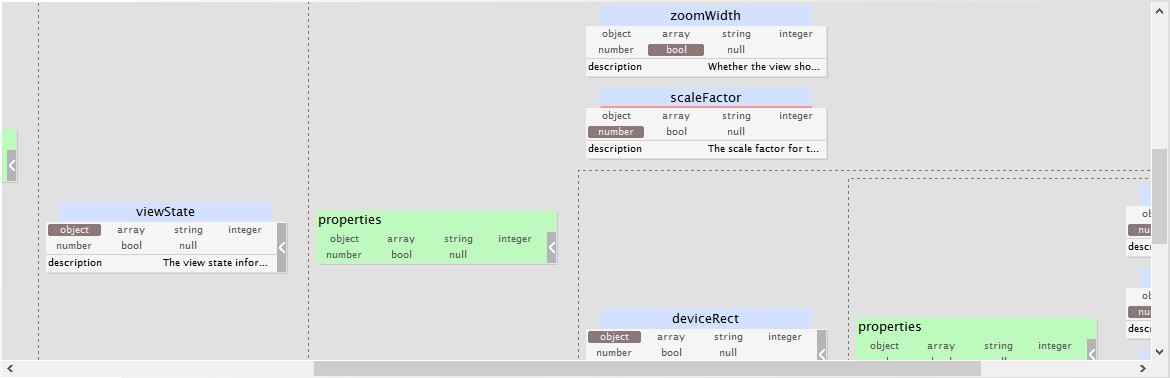
The established JSON Schema view can generate a tree diagram and HTML documentation with scalable SVG output. Use it to make nested definitions easier to discuss while keeping the JSON Schema document itself authoritative.

The dedicated documentation page preserves this distinct documentation intent and records the remaining evidence boundaries for drafts, exports, and current access surfaces.

JSONBuddy JSON Schema view with a generated tree diagram
The retained schema view presents a tree diagram derived from the active schema.

Platform availability

Choose where to run this workflow

Only platforms supported by approved evidence for this specific workflow are shown. Links are limited to implemented, verified destinations.

  • Desktop / WindowsFeatured access: schema authoring, validation, debugging, reference navigation, analysis, and sample preview in JSONBuddy for Windows.

Continue the schema lifecycle

Choose the next schema-specific task

Use the tester for repeatable collections and coverage, the analyzer for background structural findings, documentation for a shareable reference, or the validator for JSON instance checks.

Schema resources and drafts

Choose the context before you validate

Draft support and resource resolution are part of the schema workflow, not interchangeable claims. Use the retained Articles to review schema pools, library resources, and historical draft statements before confirming the current release behavior.