

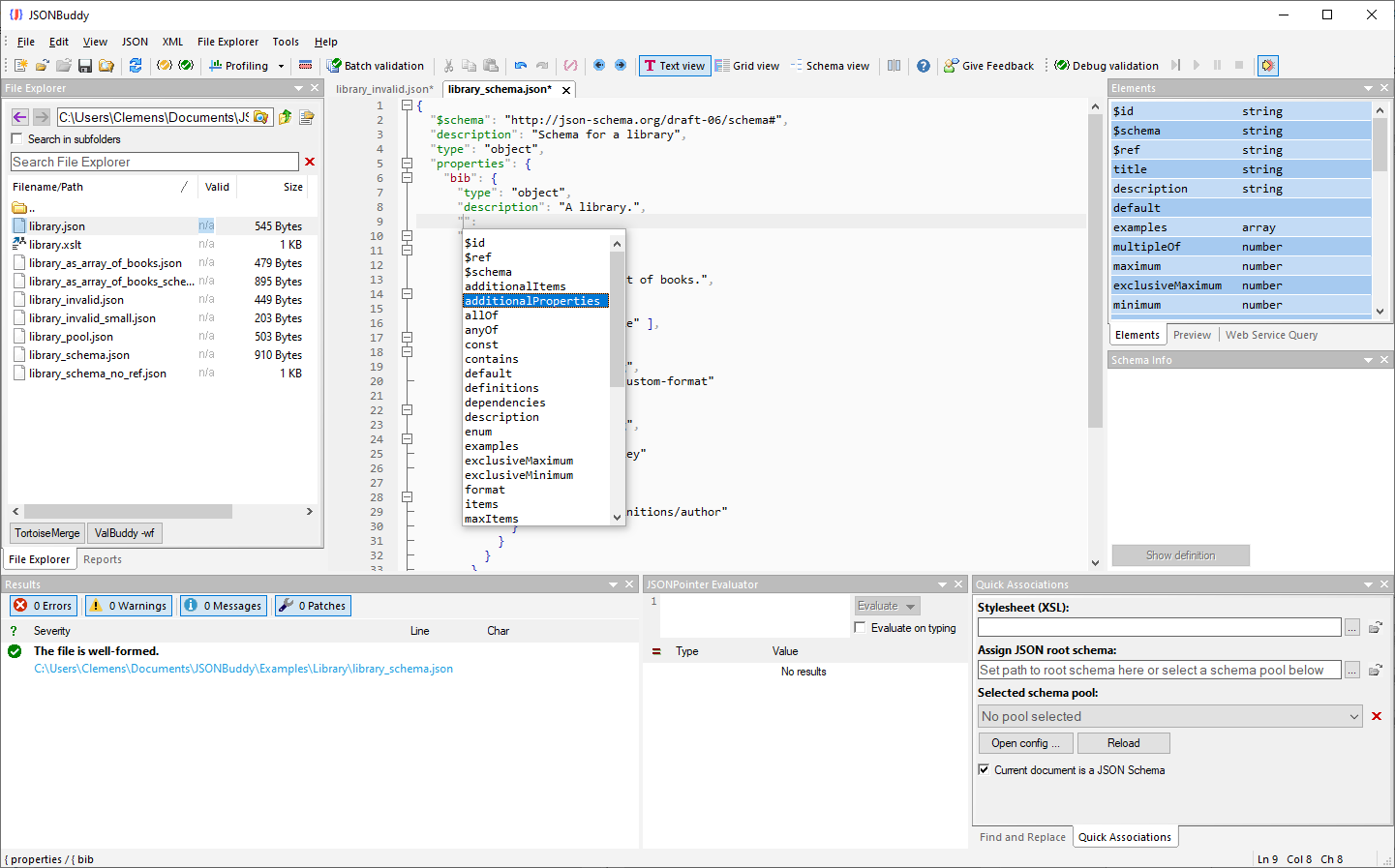
The supplied read-only Help source documents this task. Confirm schema association, keyword assistance, validation, preview, and diagnostic behavior in the current Windows build before standardizing a procedure.
Prepare the schema document
- Open the intended schema file and keep a small JSON instance that represents the contract.
- Use the current association control to mark the active document as a JSON Schema.
- Confirm the chosen draft, root resource, and referenced-schema context before editing rules.
The legacy Help describes schema-aware syntax coloring, keyword auto-completion, and interactive specification text. These are useful editing aids, not proof that a particular keyword or draft is appropriate for the contract.
Validate the schema before testing data
Run the current schema-validation workflow and inspect each result at its reported location. Correct the schema deliberately, then repeat the check. The supplied evidence shows a type mismatch in a required array and a Results pane; verify current wording, severity, and jump-to-result behavior in the active release.
Associate a JSON instance and test the contract
- Open the JSON instance that the schema is meant to constrain.
- Associate the intended schema using the current Windows workflow; use a relative path only after confirming resolution from the saved files.
- Validate the instance and inspect both the JSON location and applicable schema location.
- Retest one expected-valid and one expected-invalid sample after each meaningful schema change.
The historical Help also describes generated sample data and background indicators. Verify their availability and refresh timing before depending on either as a release guarantee.
Continue with a focused schema task
Use the SchemaStore library task to start from a published schema, the JSON Schema debugger for a repeatable failing case, or the JSON Schema editor overview for the full capability.