

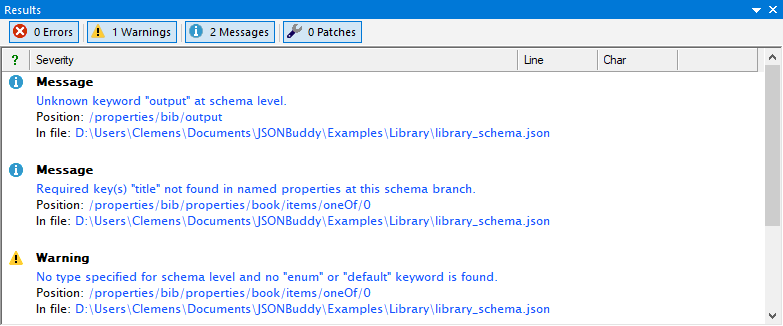
The supplied read-only Help source documents this task. Confirm current analyzer availability, finding names, severity, result navigation, supported drafts, and reference-loading behavior in the active Windows build before relying on exact UI behavior.
Review the schema findings in context
The retained Help describes a JSON Schema analyzer that runs in the background while a schema is edited and reports findings in the Results pane. Treat a finding as a prompt to inspect the active schema branch, its declared draft, and the intended contract—not as an automatic correction.
Investigate references and structural drift
- Open the schema and the referenced resources needed for a reproducible case.
- Review unresolved local or external
$reffindings by checking the target resource and JSON Pointer. - Check structural findings such as an unknown keyword, an incompatible type, or a property that remains in
requiredafter its definition changed. - Compare the finding with version-control history before restoring, removing, or revising the rule.
The legacy Help lists many individual analyzer messages, including reference, keyword, type, range, and required-property checks. Their exact coverage and classification are release-sensitive; confirm the current build rather than treating that historical list as a compatibility guarantee.
Correct deliberately and retest data
Follow a result to the reported schema location, make one intentional correction, and run the current schema analysis again. Then validate one JSON instance expected to pass and one expected to fail. This separates a quiet analyzer result from proof that the data contract still behaves as intended.