

Before you start
- Open the JSON document in JSONBuddy.
- If schema validation is required, make sure the intended JSON Schema is available and assigned.
- Save a copy before changing production data.
Validate the document
- Run the JSON validation command from the current validation menu or toolbar.
- Review syntax errors first; a malformed document may prevent schema evaluation.
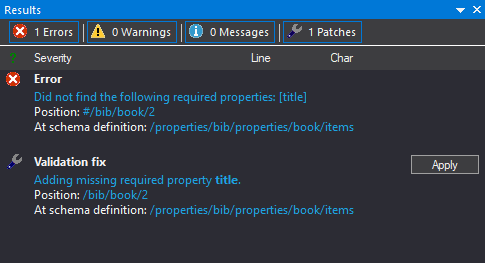
- Open each result to inspect its instance location, schema location and diagnostic detail.
- Correct the JSON data or the schema rule that caused the failure.
- Run validation again and confirm that the intended result set is clear.
Troubleshooting
The wrong schema is used
Confirm the schema association and resolution context, including referenced schemas and configured schema pools.
The document is too large for an ordinary workflow
Use the retained large JSON data and batch validation paths rather than assuming the same editor mode fits every file.