Check selected documents
Run well-formedness checks across multiple JSON files from the Windows environment and use the editor to investigate a file that fails.

Batch validation and automation
Validate a collection of JSON documents for well-formedness or against a JSON Schema, preserve a detailed batch log, and move a tested configuration from the Windows editor to the command line.
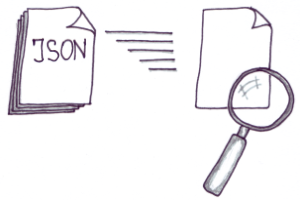
Two connected workflows
The existing page documents both direct checks from the built-in File Explorer and settings-based command-line processing. The redesign preserves that distinction instead of presenting “batch” as a generic speed claim.
Run well-formedness checks across multiple JSON files from the Windows environment and use the editor to investigate a file that fails.
Use a dialog-based configuration to define the batch inputs and schema context, then save the settings for a repeatable run.
Write the validation status and diagnostic output to a log so the collection can be reviewed without opening each document manually.
Command-line batch sequence
Re-test the dialog labels, settings-file format, recursive-folder behavior, log location and format, CLI switch, return code, supported JSON Schema drafts, edition requirement, download package, and Windows support before production publication.
Platform availability
Only platforms supported by approved evidence for this specific workflow are shown. Links are limited to implemented, verified destinations.
Related validation paths
Use the step-by-step validation page for an interactive document, the CLI hub for direct command invocations, and the large-data solution when streaming-oriented processing is the central requirement.