
Help page

JSONBuddy Help

Instant validation while editing JSON data

Use background validation as feedback while editing, then inspect diagnostics and retest before treating a document as correct.

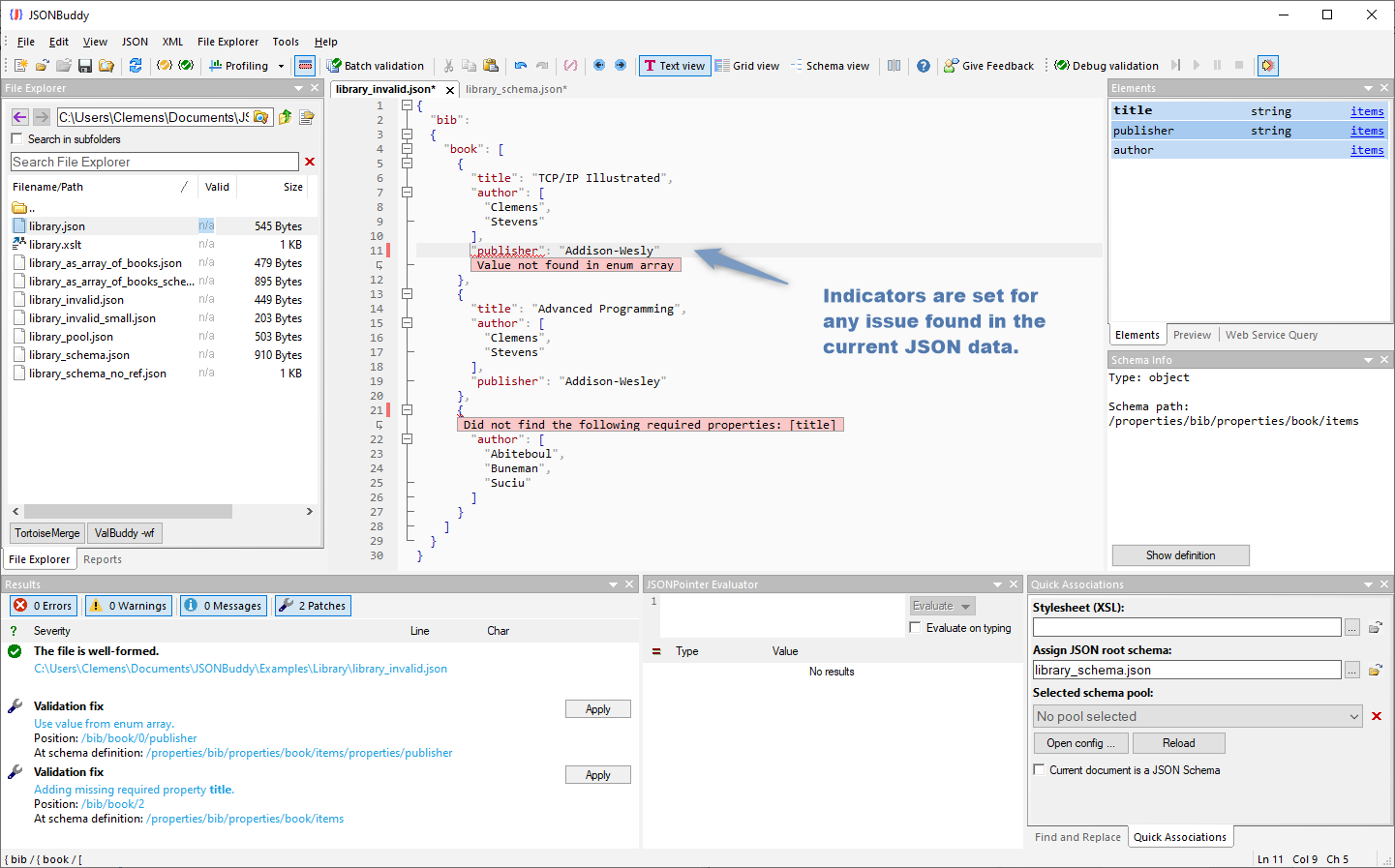
JSONBuddy for Windows editor showing inline JSON validation indicators
Authentic Help evidence shows editor validation indicators; timing and labels must be checked in the current build.

Read background findings in context

When a schema is assigned, the editor can present validation feedback while JSON is being changed. Treat an inline indicator as a prompt to inspect the data location, schema rule, and message—not as a complete explanation by itself.

Correct and retest

  1. Open the JSON document and confirm the intended schema association.
  2. Inspect one finding and decide whether the data, rule, or association is incorrect.
  3. Correct one cause, then run a deliberate validation pass on the same valid and invalid fixtures.
  4. Review any editor assistance against the schema before accepting a suggested value.

The historical source mentions call-tip messages and enum entry help. Verify current background timing, hover behavior, indicators, and editor assistance in the current Windows release.

Related tasks

Use background feedback without losing a test case

Background feedback is most useful when it is paired with known fixtures. Keep one instance that should pass and one that should fail for the intended reason. After changing data, a custom format, or a schema association, revisit both cases. This distinguishes a corrected rule from a hidden association or reference problem.

If findings seem stale or incomplete, save the work, confirm the assigned schema and resolution context, and run a deliberate validation command. Do not rely on historical refresh timing as a release guarantee.