

Current-build check
The supplied read-only Help source documents this task. Confirm the current Options path, file-type list, default-view choices, and save behavior in the active Windows build.
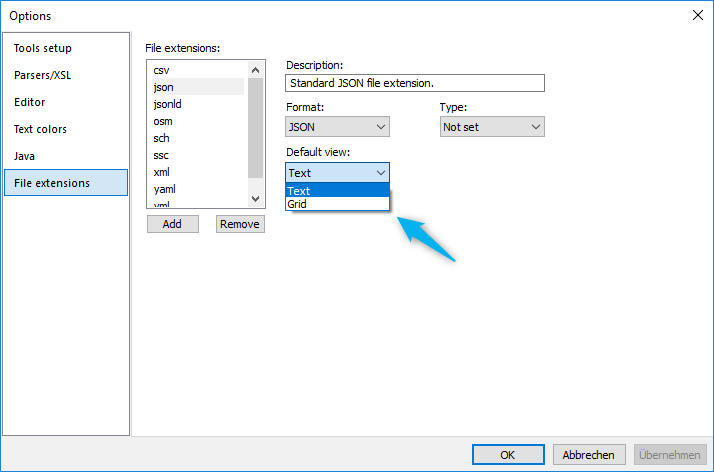
Choose a file type and view
- Open the current Options or settings workflow for file extensions.
- Select the JSON-related file extension you want to configure.
- Choose Text or Grid as the default view, then apply the change.
Verify the result with a working document
Open a representative file of that type and confirm that the selected view suits the task. Configure each extension separately when formats or workflows differ. The legacy Help also describes adding extensions and choosing XML or JSON format; treat those details as release-sensitive until verified in the current Windows release.