

Start with a repeatable Windows validation case
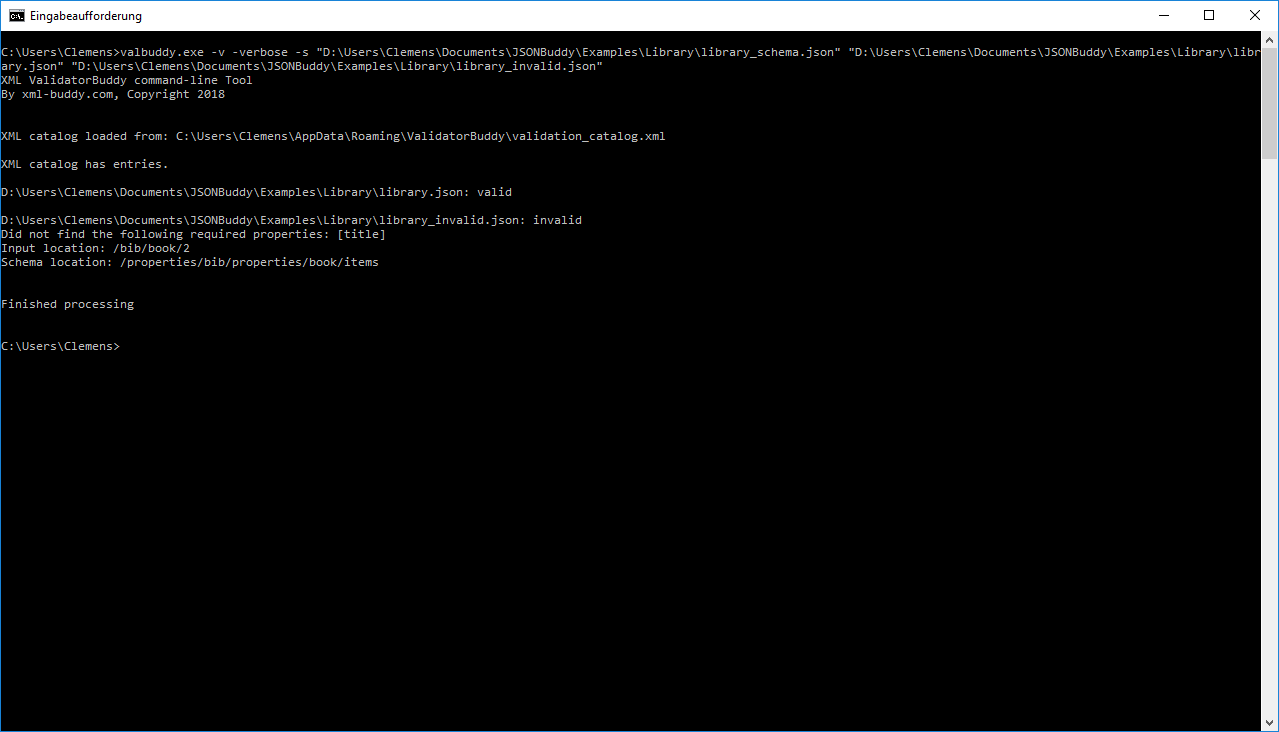
The retained article presents a Windows command-line JSON validator for checking one or more JSON documents against a JSON Schema. The example output distinguishes a valid input from an invalid one and reports both the JSON Pointer input location and the schema location behind the failed required property.
Run, capture, and review a representative check
- Choose representative valid and invalid JSON files plus the intended JSON Schema.
- Run the current documented validator command from a Windows Command Prompt or PowerShell session.
- Keep the command line, exit result, and diagnostic output with the test inputs.
- Use the reported JSON Pointer and schema location to correct the right data or constraint.
The historical page names valbuddy.exe, specific JSON Schema drafts, installation behavior, free-license terms, and a 14-day evaluation period. Treat all of those as release-sensitive: verify the package, switches, return values, licenses, supported drafts, and Windows requirements with the current release before publication.
Keep interactive and automated checks distinct
A shell check can make a known validation workflow repeatable, but it does not replace schema-test cases or an interactive diagnostic review. Begin with a known fixture set, preserve the result log, and move the tested invocation into CI only after the current executable behavior is recorded.
Continue with the current automation path
Use CLI and CI for the solution overview, batch validation for configuration-based processing, or validator Help for the interactive correction workflow.