Review API responses and configuration
Readable formatting exposes nested objects and arrays so reviewers can locate a value, compare sections, and discuss a generated document without reading one continuous line.

Format JSON for people or systems
Choose readable pretty JSON for review, compact JSON for transport, file-based processing for large inputs, or a repeatable formatter step for Windows automation.
One data model, two presentation outcomes
A JSON formatter turns compact or irregularly spaced input into predictable text. Pretty-printing adds indentation and line breaks; minification removes unnecessary whitespace. Neither operation should change object members, array order, strings, numbers, booleans, or null values. That makes before-and-after verification an essential part of any formatter workflow.
Readable formatting exposes nested objects and arrays so reviewers can locate a value, compare sections, and discuss a generated document without reading one continuous line.
Remove presentation whitespace when the consumer requires a compact artifact. Keep this separate from compression, schema validation, and semantic transformation; minification only changes the text representation.
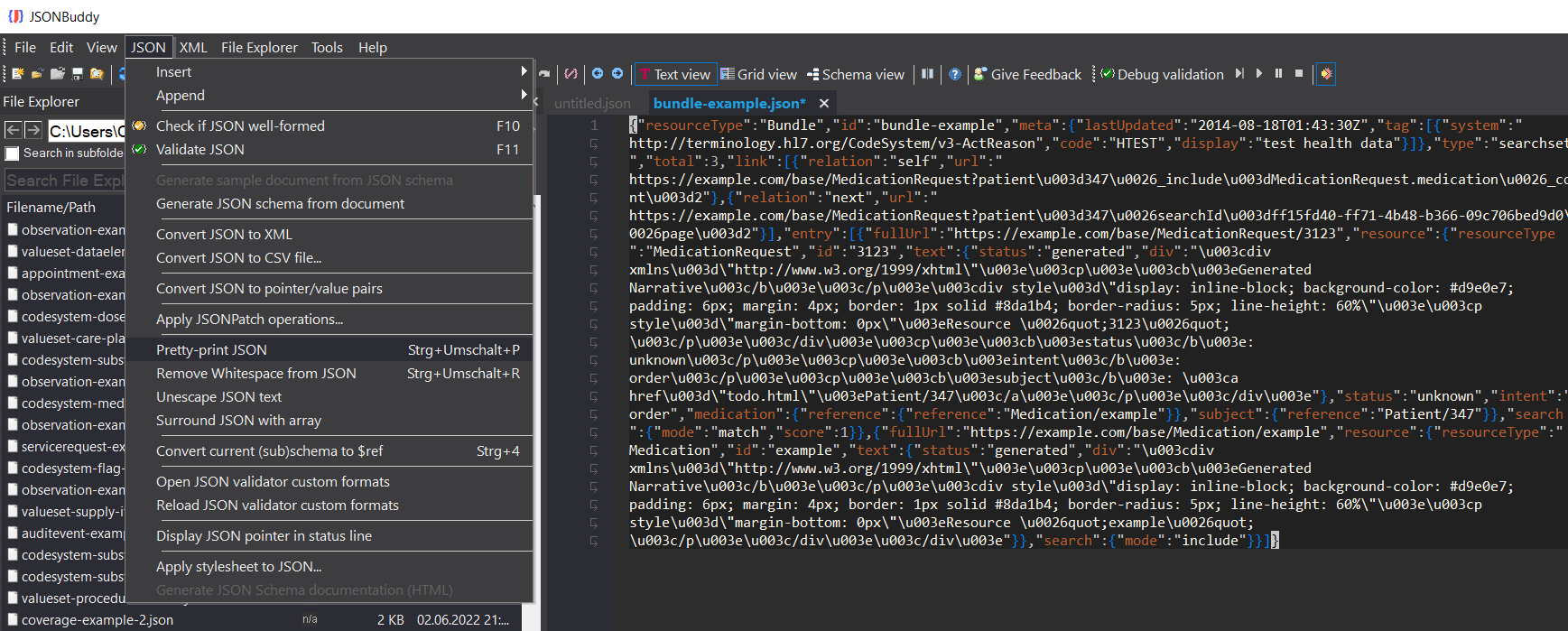
The Windows editor keeps text and grid views, syntax feedback, schema validation, JSON Pointer, patching, and conversions available when formatting reveals content that needs investigation.
Desktop formatter
The production source documents JSONBuddy as a Windows desktop editor. Recheck menu labels, shortcuts, undo behavior, encoding, line endings, save behavior, and edition availability for the publication build.
A JSON beautifier can make a defect easier to see, but indentation is not proof that the document is well-formed or conforms to a schema. Preserve validation as a deliberate follow-up step.
CLI / CI formatter
The established command-line tool supports pretty-print and minify directions for repeatable Windows processing. Start with representative files, choose explicit input and output paths, retain diagnostic output, and compare the result with an expected artifact before moving the command into a scheduled task or CI job.
Exact command switches, return values, overwrite rules, failure behavior, package contents, licensing, and supported Windows versions require release-candidate testing. Do not infer them from this marketing page.
Large input
The production formatter page documents streaming read/write behavior for large datasets. Keep large-file processing separate from ordinary in-editor formatting: verify whether the current operation writes a new file or replaces the input, how partial failures are handled, and what resource limits apply.
No speed, memory, or maximum-size claim is made without a reproducible test record.
Current Web API contract
The published JSONBuddy Core API v1 exposes POST /api/jsonlinter/prettyprint and POST /api/jsonlinter/minify. Both accept JSON objects, arrays, and primitive roots. The contract states that requests up to 10 KiB (10,240 UTF-8 bytes) do not require an API key; larger requests require an X-Api-Key header.
The Web API badge remains plain text because the controlled /json-web-api.htm page is not yet implemented and verified. That does not change the documented availability of these operations.
The current specification documents success plus bad-request, unauthorized, content-too-large, and server-error responses. It does not establish pricing, uptime, retention, broader data-handling terms, or an unlimited request size. Confirm those matters separately before production integration.
Platform availability
Only platforms supported by approved evidence for this specific workflow are shown. Links are limited to implemented, verified destinations.
Continue the formatting workflow
Use the Prettify hub for the direct readable/compact workflow, the large-data solution for file-scale processing, and the conversion hub when the data format—not only its whitespace—must change.